Printer Waste Container: How to Manage and Dispose of It Properly (2026 Guide)

April 14, 2026
 1997 views
 0 comments
Your Complete Guide to Printer Waste Container Disposal, Recycling, and Compliance for Florida Businesses

Understanding the Basics
What Is a Printer Waste Container and Why Does It Matter?
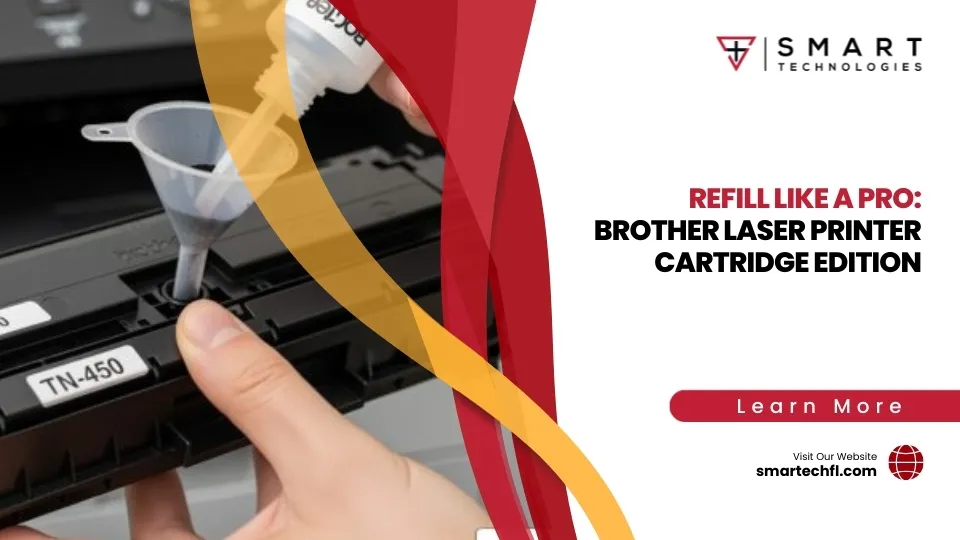
Every laser printer generates leftover toner powder during normal operation. The printer waste container (sometimes called a waste toner box or waste toner bottle) catches this excess material so it does not spill inside the machine or contaminate your prints. Think of it like a lint trap in a dryer. Without it, loose toner particles would coat internal components, cause paper jams, and eventually damage the printer.
Most offices never think about this part until the printer flashes a warning. But here is the thing: that small plastic box actually holds hazardous fine-particle dust. How you handle it affects your print quality, your compliance with Florida waste regulations, and even your bottom line.
So let’s break it all down. We will cover what goes into these containers, how to replace them, how to dispose of them legally, and how Smart Technologies can take the entire headache off your plate.
Inside the Container
What Printer Waste Actually Contains
Waste toner is not just colored powder. It is a mix of plastic polymers, carbon black, iron oxide, and proprietary chemical additives. Some formulations include trace amounts of heavy metals. When this fine dust is inhaled or released into the environment, it poses real health and ecological risks.
Breakdown of Typical Waste Toner Components
| Component | Material | Environmental Risk |
|---|---|---|
| Plastic resin | Styrene-acrylate copolymer | Non-biodegradable; persists in landfills 450+ years |
| Colorant | Carbon black, pigments | Potential carcinogen if inhaled in fine particle form |
| Charge control agent | Metal salts, quaternary ammonium | Toxic to aquatic organisms |
| Wax | Polyethylene, carnauba | Low risk; biodegradable |
| Silica | Silicon dioxide (flow aid) | Respiratory irritant in dust form |
A single cartridge produces roughly 4.8 kilograms of CO2 during manufacturing. Multiply that across the 375 million cartridges discarded annually in the United States, and the environmental cost is staggering. The EPA’s electronics recycling guidelines classify printer waste as e-waste requiring careful handling.
Ink and toner cartridges are thrown away every year in the U.S. alone. Only 20-30% get recycled.
Knowing When to Act
How to Tell When Your Waste Toner Container Is Full
Modern printers make this easy. Most display a message on the control panel or send an alert through your print management software. But do not wait for the absolute last warning. Running a full waste container can cause toner to spill inside the machine, which means an expensive service call.
Common Warning Signs
- “Waste toner full” or “Replace waste container” message on the display
- Print quality drops suddenly, with streaks, smudges, or ghost images
- The printer stops mid-job and refuses to continue
- Software dashboard shows waste toner level above 90%
- Toner dust visible near the waste container slot
Pro tip? Replace the waste container at 80% capacity rather than 100%. You avoid emergency downtime and give yourself a buffer during busy print weeks.
Step-by-Step
How to Replace a Printer Waste Container
Replacing the container is straightforward on most business-class printers. The process takes roughly two minutes. Here is a general guide that applies to brands like Xerox, Ricoh, HP, and Canon.
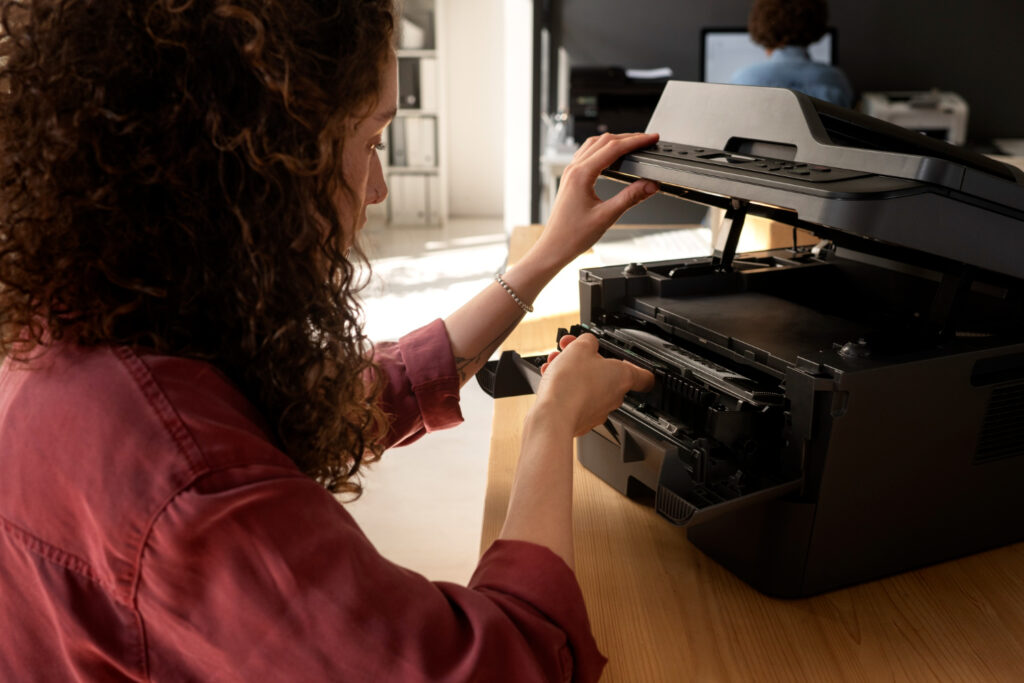
Step 1: Power down the printer and open the front or side panel (check your model’s manual for the exact location).
Step 2: Locate the waste toner container. It is usually a rectangular box near the imaging drum or transfer belt.
Step 3: Carefully slide the container out. Keep it upright to avoid spilling fine toner dust.
Step 4: Seal the used container. Most come with a cap or adhesive seal. If yours does not, place it in a plastic bag immediately.
Step 5: Insert the new waste container and close the panel. Power the printer back on. The warning message should clear automatically.
Important: Never vacuum spilled toner with a regular vacuum cleaner. Standard vacuums cannot filter toner’s ultrafine particles and will blow them into the air. Use a toner-rated vacuum or damp cloth instead.
Disposal Options
Printer Waste Container Disposal Methods Compared
You have several paths for getting rid of a used waste toner container. Not all of them are legal, and some cost more than others. Here is a straightforward comparison.
| Method | Cost | Legal? | Environmental Impact | Best For |
|---|---|---|---|---|
| Manufacturer take-back program | Free | Yes | Low (recycled) | Any business using OEM supplies |
| Retail drop-off (Staples, Best Buy) | Free | Yes | Low (recycled) | Small offices, fewer than 5 cartridges/month |
| Managed Print Services provider | Included in contract | Yes | Very low (full lifecycle) | Mid-size to large offices |
| Certified e-waste recycler | $0 – $50/pickup | Yes | Low | Businesses with mixed e-waste streams |
| Municipal e-waste collection event | Free | Yes | Low | Occasional disposal needs |
| Regular trash/dumpster | $0 | No (FL 2026) | High (landfill contamination) | Not recommended |
The bottom line: throwing waste toner in the trash is the most expensive option long-term once you factor in potential fines and environmental liability.
of materials in toner cartridges can be recovered through proper recycling programs.
Florida Compliance
Florida E-Waste Regulations Every Business Should Know
If you run a business in Central Florida, pay attention. As of January 1, 2026, any person who owns or operates an industrial, institutional, or commercial facility in Florida must dispose of covered electronic devices at a permitted reclamation facility. That includes printers, toner cartridges, and waste toner containers.
This is not a suggestion. It is state law.
Key Compliance Dates
- January 1, 2026: Commercial facilities must use permitted reclamation facilities for e-waste disposal
- July 1, 2026: Florida’s statewide e-waste reduction and recycling plan finalized (Senate Bill 200)
- January 1, 2028: It becomes unlawful for any person to dispose of covered electronic devices except at permitted facilities
What Happens If You Do Not Comply?
Fines range from $100 to $25,000 per violation depending on your jurisdiction. The Florida DEP’s electronics waste page outlines the specifics. And the Florida Information Protection Act adds another layer: businesses must ensure secure disposal of any device that stored personal data. A printer with a hard drive tossed in a dumpster is not just an environmental violation. It is a data breach waiting to happen.
Smart Technologies has helped Daytona Beach businesses navigate these regulations since 1999. We handle compliant disposal as part of our managed print services.
Environmental Impact
The Real Environmental Cost of Printer Waste
Let’s put some numbers to this problem. Printer waste is a subset of the global e-waste crisis, which generated a record 136 billion pounds of electronic waste in 2022. Almost 78% of it was never formally recycled.
Toner cartridges are particularly troublesome because their plastic components take between 450 and 1,000 years to decompose. During that time, chemical additives leach into soil and groundwater. One improperly disposed printer can contaminate thousands of gallons of water.
Why Recycling Matters More Than You Think
Here is the good news. Recycling works. Up to 97% of the materials in a toner cartridge can be recovered. Recycled plastic gets turned into new cartridges, park benches, and automotive parts. Programs like Xerox’s Green World Alliance recover and remanufacture cartridges at scale. Metals get smelted and reused. Even the residual toner powder can sometimes be reclaimed.
But only 20-30% of toner waste actually gets recycled globally. The gap between what is possible and what is actually happening is enormous. And that gap represents a real opportunity for Florida businesses to lead by example.
Brand-Specific Guides
Waste Toner Container Replacement by Printer Brand
Not every printer handles waste toner the same way. Here is a quick-reference guide for the most popular business printer brands in Central Florida offices.
| Brand | Common Waste Container Part | Avg. Capacity (pages) | Take-Back Program? |
|---|---|---|---|
| Xerox | 108R01416 (VersaLink series) | 30,000 | Yes, Green World Alliance |
| Ricoh | 406043 Type 220 | 25,000 | Yes, Ricoh Trade-In |
| HP | CE254A (LaserJet Enterprise) | 36,000 | Yes, HP Planet Partners |
| Canon | FM3-8137 (imageRUNNER series) | 20,000 | Yes, Canon Recycling |
| Konica Minolta | WX-101 (bizhub series) | 50,000 | Yes, Clean Planet |
| Brother | WT-220CL | 50,000 | Yes, Brother Recycling |
Capacity varies significantly. A high-volume Konica Minolta bizhub might go 50,000 pages before needing a swap, while a Canon imageRUNNER might need attention at 20,000 pages. If you are not sure which container your machine needs, Smart Technologies can identify it and ship it to you same-day across the Daytona Beach area.
Managed Print Advantage
How Managed Print Services Eliminate Waste Container Headaches
Here is a question worth asking: why manage waste toner containers yourself when someone else can do it better and cheaper?
Managed print services (MPS) are growing fast for exactly this reason. The global MPS market hit $40.83 billion in 2026, and a huge driver is sustainability. Roughly 60% of organizations now use print optimization strategies, reducing unnecessary print volumes by over 30%.
With an MPS contract, waste container management is automatic. Your provider monitors toner levels, ships replacement containers before you run out, and handles recycling or certified disposal of used ones. You never think about compliance because it is built into the service.
MPS Waste Reduction by the Numbers
- 10-15% reduction in total output waste
- 30% decrease in energy consumption from optimized print fleets
- Up to 25% lower paper usage through duplex printing and pull-printing
- Zero compliance risk since disposal is handled by certified providers
- Full audit trail for environmental reporting requirements
Mistakes to Avoid
7 Common Printer Waste Disposal Mistakes Florida Businesses Make
We have serviced thousands of printers across Volusia, Flagler, and Seminole counties since 1999. Some mistakes come up again and again. Here are the ones costing businesses the most money and create the biggest compliance headaches.
1. Tossing waste toner containers in the regular trash. This was a gray area before 2026. It is not anymore. Florida law now requires commercial facilities to use permitted reclamation facilities. A single violation can trigger a fine, and repeat offenses compound quickly.
2. Vacuuming spilled toner with a standard vacuum. Regular vacuums lack HEPA filtration fine enough for toner particles (typically 5-10 microns). The vacuum blows them into the air where they become an inhalation hazard. Always use a toner-specific vacuum or a damp cloth.
3. Stockpiling used containers in a closet. Out of sight, out of mind. But accumulated waste toner containers can leak over time, especially in Florida’s heat. One cracked container in a supply closet can create a cleanup bill north of $500.
4. Ignoring the waste toner warning light. Many office managers treat it like a low-fuel light and push for another week. The printer does not work that way. Once full, toner spills internally and causes damage that costs $150-$350 to repair.
5. Using third-party containers that do not fit properly. Off-brand waste containers sometimes lack proper seals. A poor seal means toner dust escapes during normal printing, coating internal components and shortening the printer’s life.
6. Forgetting about printer hard drives during disposal. A printer with a hard drive stores images of everything it has printed. Under the Florida Information Protection Act, businesses are liable if that data gets exposed. Recycling the toner is not enough. You also need certified data destruction.
7. Not keeping disposal records. If a regulator asks for documentation, “we recycle everything” is not a satisfactory answer. You need receipts, manifests, or a provider who maintains an audit trail on your behalf.
Smart Technologies eliminates all seven of these risks through our managed print program. We handle the supply chain, the disposal, and the paperwork so your team can focus on actual work.
Our Approach
How Smart Technologies Helps with Printer Waste Management
Fleet Assessment
We audit your entire print environment to find waste reduction opportunities and right-size your equipment.
Automatic Supply Delivery
Waste containers, toner, and drums ship before you run out. No emergency orders, no downtime.
Certified Recycling
Every used container is collected and routed through manufacturer-certified recycling programs.
Compliance Tracking
We maintain documentation that proves your business meets Florida’s 2026 e-waste disposal requirements.
Secure Data Destruction
Printer hard drives and memory are wiped or destroyed before any device leaves your facility.
Local Support
Based in Daytona Beach, we respond same-day across Volusia, Flagler, and Seminole counties.
Cost Savings
What Printer Waste Management Really Costs (And How to Spend Less)
Let’s talk dollars. Most businesses never calculate the true cost of handling printer waste in-house. When you add up employee time, supply orders, storage, and disposal fees, the number is higher than expected.
| Cost Factor | DIY / In-House | With MPS Provider |
|---|---|---|
| Waste container purchase | $15 – $60 each | Included |
| Employee time (ordering, replacing, tracking) | 2-4 hours/month | 0 hours |
| Disposal/recycling fees | $0 – $50/pickup | Included |
| Compliance documentation | Staff time + legal review | Included |
| Emergency service calls (spills, jams) | $150 – $350/call | Included |
| Potential fines (non-compliance) | $100 – $25,000 | $0 |
For a mid-size office with 5-10 printers, the hidden in-house cost often exceeds $3,000 per year. An MPS contract bundles everything into a predictable per-page rate, usually between $0.008 and $0.015 per black-and-white page. Color runs a bit higher. Either way, the math favors outsourcing for most businesses.
Common Questions
Printer Waste Container FAQ
What is a printer waste toner container?
It is a removable box or bottle inside laser printers that collects excess toner powder generated during printing. Every laser printer produces some waste toner as a normal byproduct of the imaging process.
How often do I need to replace the waste toner container?
It depends on your print volume and printer model. Most business printers need a replacement every 20,000 to 50,000 pages. High-volume copiers like the Konica Minolta bizhub can go up to 50,000 pages between changes.
Can I empty and reuse a waste toner container?
Technically you can empty some models, but manufacturers strongly advise against it. Spilled toner creates health hazards (fine particle inhalation), voids warranties, and can damage printer components. The cost of a new container ($15-$60) is far less than a service call for toner damage.
Is it legal to throw waste toner in the trash in Florida?
As of January 2026, Florida commercial facilities must dispose of covered electronic waste at permitted reclamation facilities. By January 2028, it becomes unlawful for anyone. Fines range from $100 to $25,000 per violation.
Where can I recycle printer waste containers near Daytona Beach?
Several options exist: manufacturer take-back programs (HP Planet Partners, Xerox Green World Alliance), retail drop-offs at Staples and Best Buy, Volusia County e-waste collection events, or through a managed print services provider like Smart Technologies.
Do all printers have waste toner containers?
No. Inkjet printers do not use waste toner containers since they use liquid ink. Only laser printers and LED printers have them. Some compact laser models incorporate the waste toner area into the drum unit, so there is no separate container to replace.
What happens if I ignore the waste toner full warning?
Most printers will stop printing entirely once the container reaches capacity. If you try to force it, loose toner can spill inside the machine, causing streaky prints, paper jams, and potential damage to the drum and fuser units. Repair costs typically run $150-$350.
How does managed print services handle waste toner disposal?
Your MPS provider monitors waste container levels remotely, ships replacements proactively, collects used containers during service visits, and routes them through certified recycling channels. All compliance documentation is maintained automatically.
Are there data security risks with disposing of printers?
Yes. Many modern printers contain hard drives that store images of recent print jobs. Under the Florida Information Protection Act, businesses must securely destroy data on any device before disposal. Smart Technologies provides certified data destruction for all decommissioned print equipment.
How much does printer waste management cost per month?
DIY management for a 5-10 printer office typically costs $250 or more per month in hidden expenses (supplies, labor, disposal, risk). An MPS contract bundles waste management into per-page pricing, usually $0.008-$0.015 per black-and-white page with all supplies and disposal included.
What is the environmental impact of one waste toner cartridge?
Manufacturing a single toner cartridge produces approximately 4.8 kg of CO2. The plastic shell takes 450 to 1,000 years to decompose in a landfill. However, recycling can recover up to 97% of the materials, making proper disposal significantly better than landfilling.
Can Smart Technologies help my business become compliant with Florida e-waste rules?
Absolutely. Smart Technologies of Florida has served Daytona Beach and Central Florida businesses since 1999. We provide compliant waste toner disposal, certified recycling, data destruction, and full documentation as part of our managed print services. Call us at (386) 252-2292 for a free assessment.
Stop Worrying About Printer Waste Compliance
Smart Technologies handles everything: supplies, service, recycling, and compliance documentation. Serving Daytona Beach and Central Florida since 1999.
Call us at (386) 252-2292
Related Posts

— Lakeland Commercial Copiers & Printers
— No Desk? No Problem! Best Mobile Printing Options